

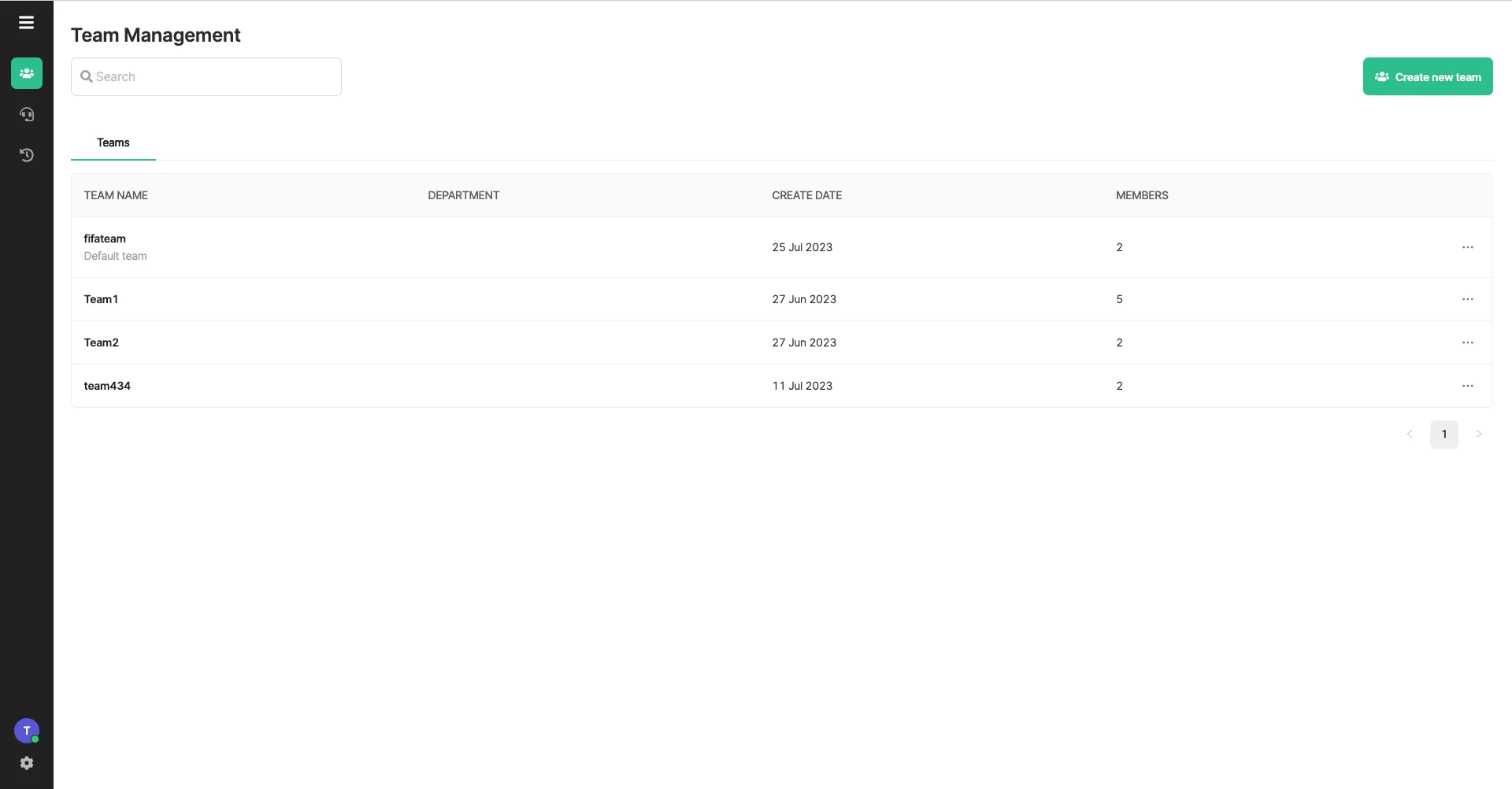
This screen provides administrators with the ability to configure operational teams within the Livechat system.
Create Team
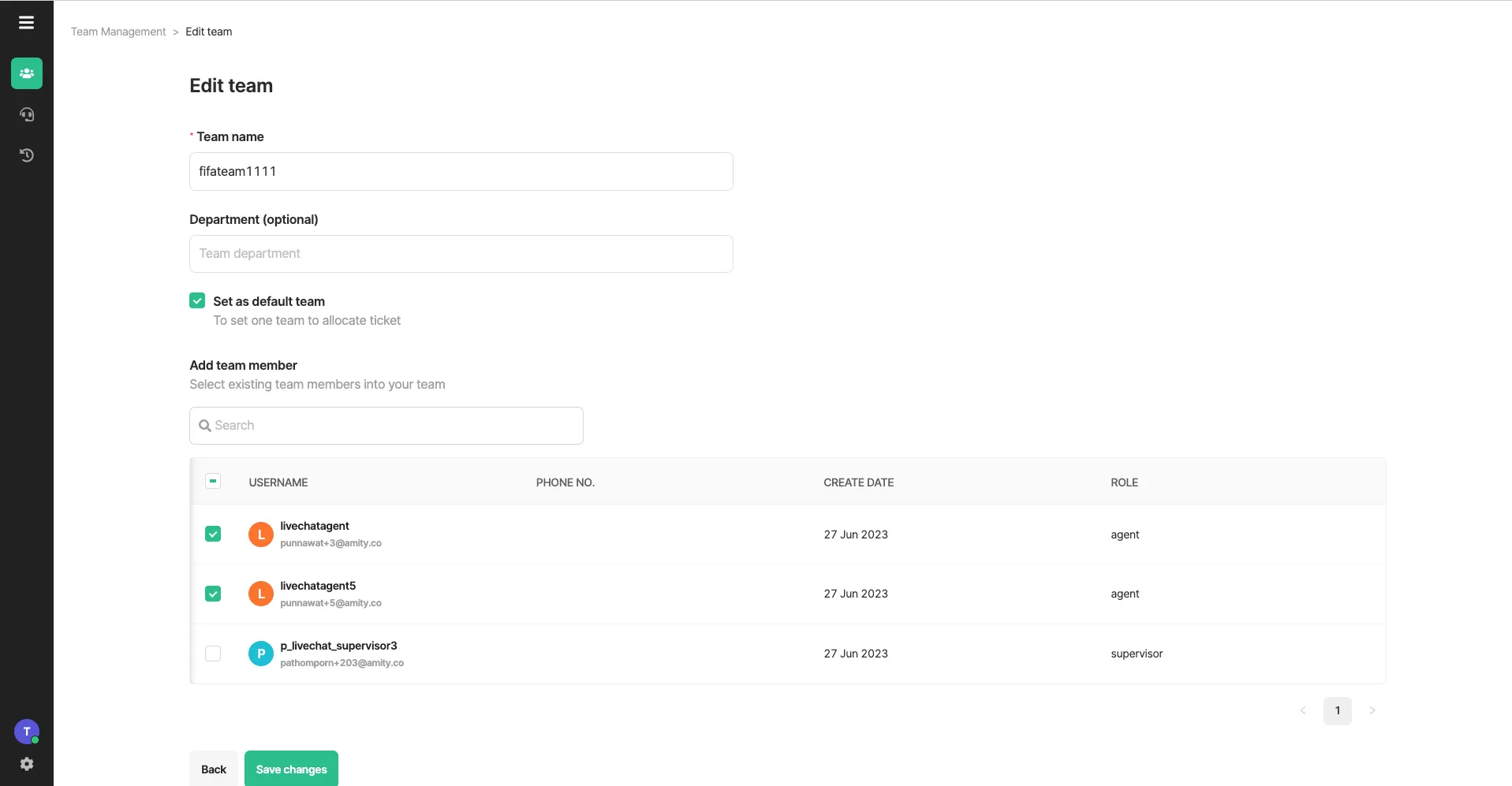
Section titled “Create Team”To create team, an admin needs to fill in the following fields
- Team name : this field is mandatory
- Department : this field is optional
- Set as default team : an admin can check this box if a team is meant to receive ticket that has unknown objective and is not specified team to handle
- Add team member : check list of agents that will be under the team.
Edit Team
Section titled “Edit Team”Admin can edit team by clicking 3 dots on the right hand side of the team
Delete Team
Section titled “Delete Team”Admin can delete team by clicking 3 dots on the right hand side of the team. Once the team is deleted, it cannot be retrieved. Admin needs to create a new team
Was this page helpful?
Thank you for your feedback!