

Effective ticket management offers comprehensive insights into various aspects of customer support:
- Incoming Tickets: Gain visibility into incoming tickets, enabling swift acknowledgment and response
- Ticket Status: Monitor the real-time status of tickets, from opening to resolution, ensuring seamless tracking
- Ticket SLA: Easily access and adhere to Service Level Agreements (SLAs), guaranteeing timely ticket resolution
- Assigning System: Efficiently allocate tickets to agents, promoting effective distribution and balanced workloads
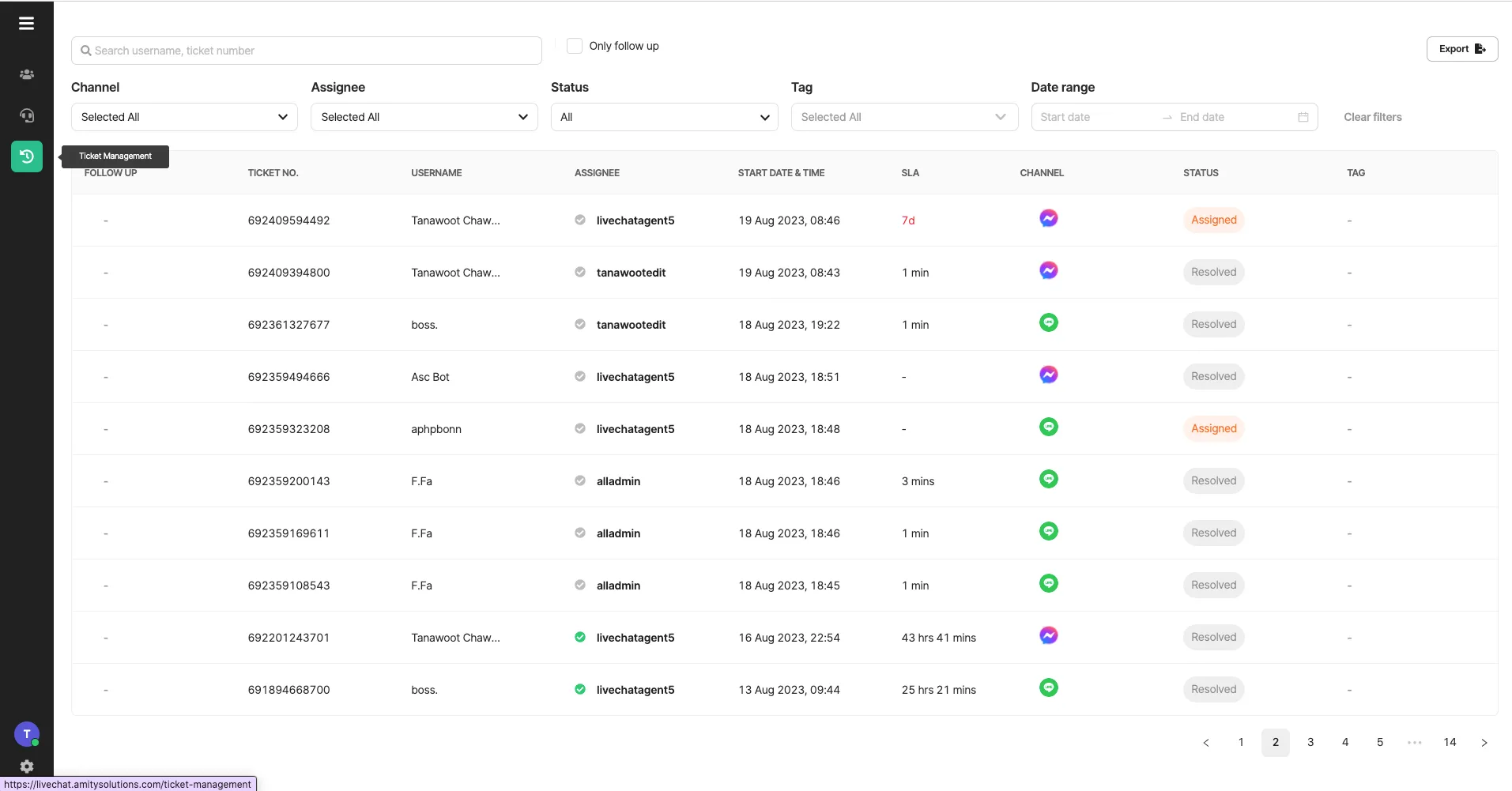
Ticket Filtering
Section titled “Ticket Filtering”Agents now have the ability to apply filters to tickets based on various criteria:
- User: Filter tickets by specific users, allowing agents to focus on individual cases.
- Channels: Refine ticket views by channel, providing insight into how customers are reaching out.
- Assignee: Sort tickets by assigned agents, aiding in workload management and collaboration.
- Status: Filter tickets by their current status (e.g., opened, assigned, resolved), streamlining tracking.
- Opened DateTime: Agents can narrow down tickets based on their opening date and time, enabling efficient time-sensitive handling.
This advanced filtering capability empowers agents to navigate through their workload with precision and ease.
Ticket Report
Section titled “Ticket Report”Effortless Report Generation with CSV Export
Users can easily create a CSV file by clicking the export button. The generated report reflects the current table filters. For instance, if the channel filter is set to “Channel X,” the CSV file will exclusively feature tickets originating from that channel.
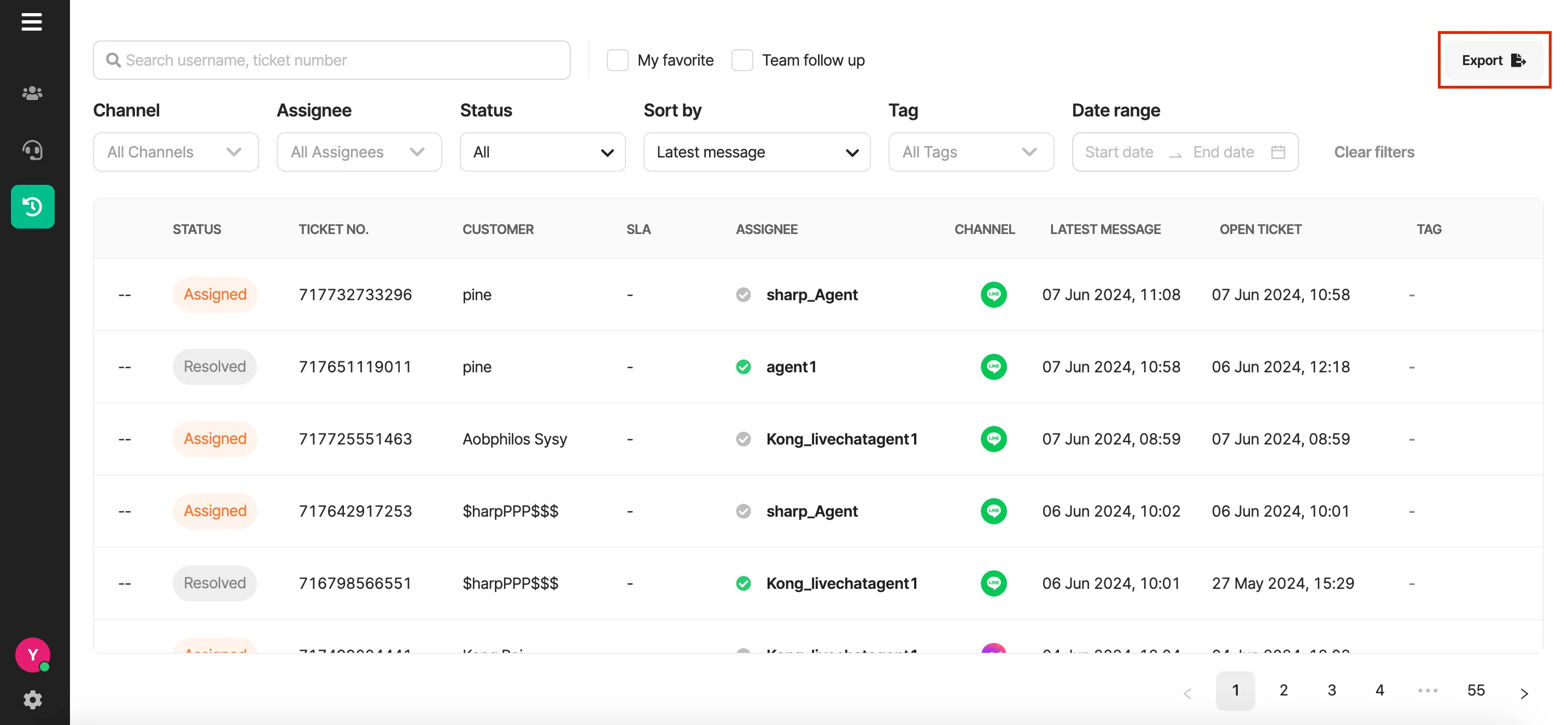
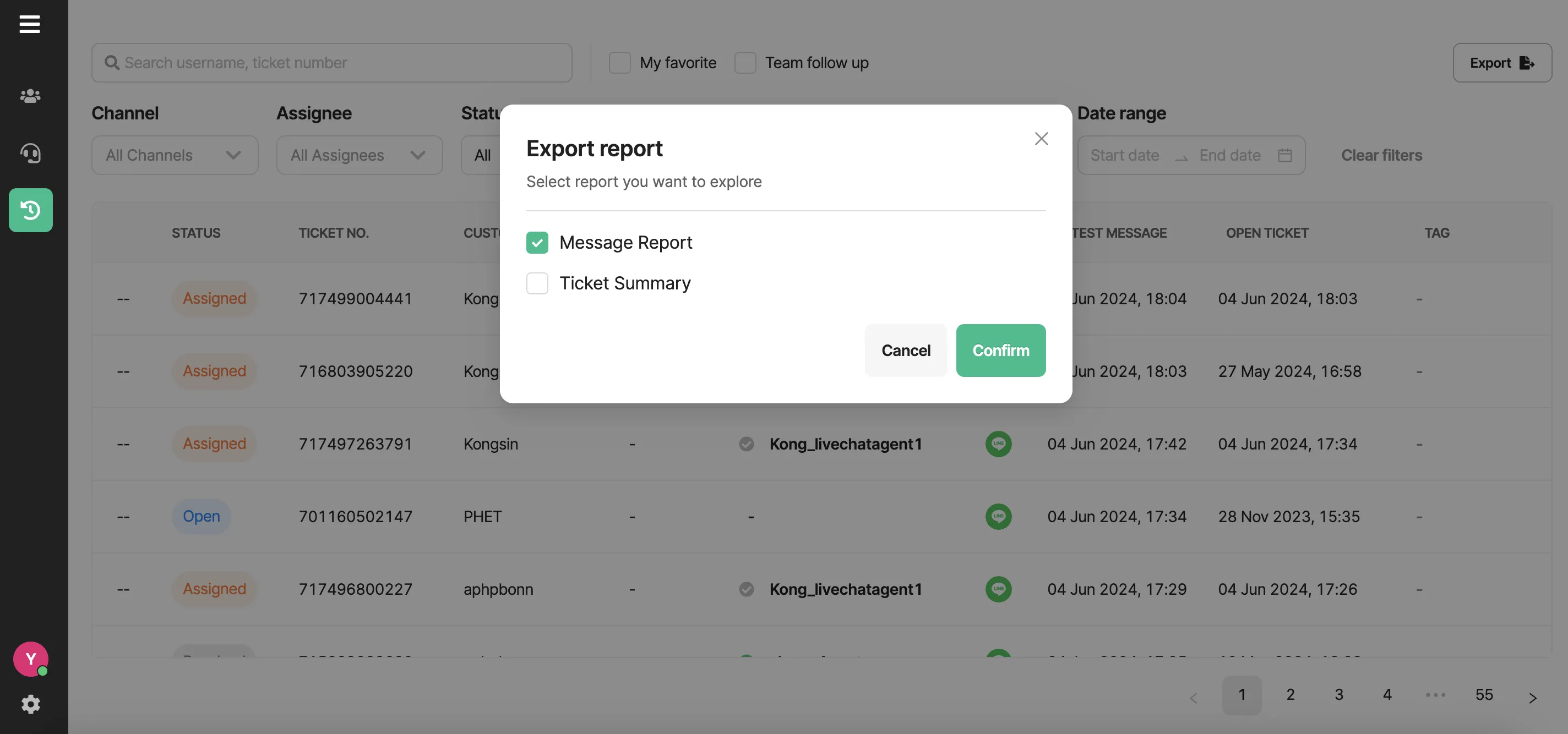
2 Reports:
-
Ticket Summary Report: This report provides a concise overview of all tickets based on applied filters. It encompasses vital data including ticket numbers, opening and resolution dates, SLA adherence, etc. The report is tailored according to the chosen filters.
Ticket Summary Report field data:
| Field | Description | |
|---|---|---|
| Ticket ID | ID number of ticket | |
| Ticket Status | Status of ticket as an Opened, Assigned, and Resolved | |
| User ID | ID number of user | |
| Username | Default username from original chat platform | |
| Agent ID | ID number of Agent | |
| Agent Name | Name of Agent | |
| Channel ID | ID number of chat platform channel | |
| Channel Type | Type of chat platform channel as a LINE, Facebook, Web chat, and custom | |
| Channel Name | Name of chat platform channel | |
| Ticket Tags | Tags which attached with the ticket | |
| Category | Category of a reason for ticket summary | |
| Reason | Reason for ticket summary | |
| Outcome | Outcome for ticket summary | |
| Note | Additional notes message | |
| Ticket Open Timestamp | Date and time the ticket first entered opened status | |
| First Assign Timestamp | Date and time the ticket first assigned to assignee | |
| Ticket Close Timestamp | Date and time the ticket have been resolved | |
| Ticket Latest Message Timestamp | Date and time the latest message before resolved ticket | |
| Ticket Duration | Time duration between ticket open and resolved | |
| User message count | Total number of messages sent by End-user | |
| Agent message count | Total number of messages sent by Agent | |
| Bot message count | Total number of messages sent by Bot | |
| total message count | Total number of messages sent in conversation | |
| Handling Time | Time duration between assignee first response and resolved | |
| First response time | Date and time the assignee sent first message to End-user | |
| First response duration | Time duration between ticket first assigned and assignee first time response | |
| SLA status | The time using compared with SLA is pass or failed | |
| Service flag | Assignee response status as a chat served or null | |
| Close By | Name of assignee who resolved the ticket |
2. **Message Reports**: This report compiles conversations or messages exchanged between end-users and agents, excluding chatbot messages. The report showcases interactions like user-agent dialogues.
Message Report field data:
| Field | Description | |
|---|---|---|
| Ticket ID | ID number of ticket | |
| User ID | ID number of user | |
| Username | Customer’s username | |
| Channel ID | ID number of channel | |
| Channel Type | Type of channel platform | |
| Channel Name | Name of channel | |
| Message ID | ID number of each message | |
| Message Event | Type of message’s event | |
| Message | Context or action in message | |
| Timestamp | Date and time of message |
Both reports enhance transparency and analysis by catering to specific data needs, ensuring effective communication analysis and ticket overview.
Was this page helpful?
Thank you for your feedback!