

The Collaboration Mode is a powerful feature designed to enhance teamwork among agents by allowing them to interact with and manage each other’s tickets.
Enabling Collaboration Mode
Section titled “Enabling Collaboration Mode”To enable Collaboration Mode, an admin must configure on the settings. Once activated, agents will have the ability to perform various actions on tickets assigned to their teammates.
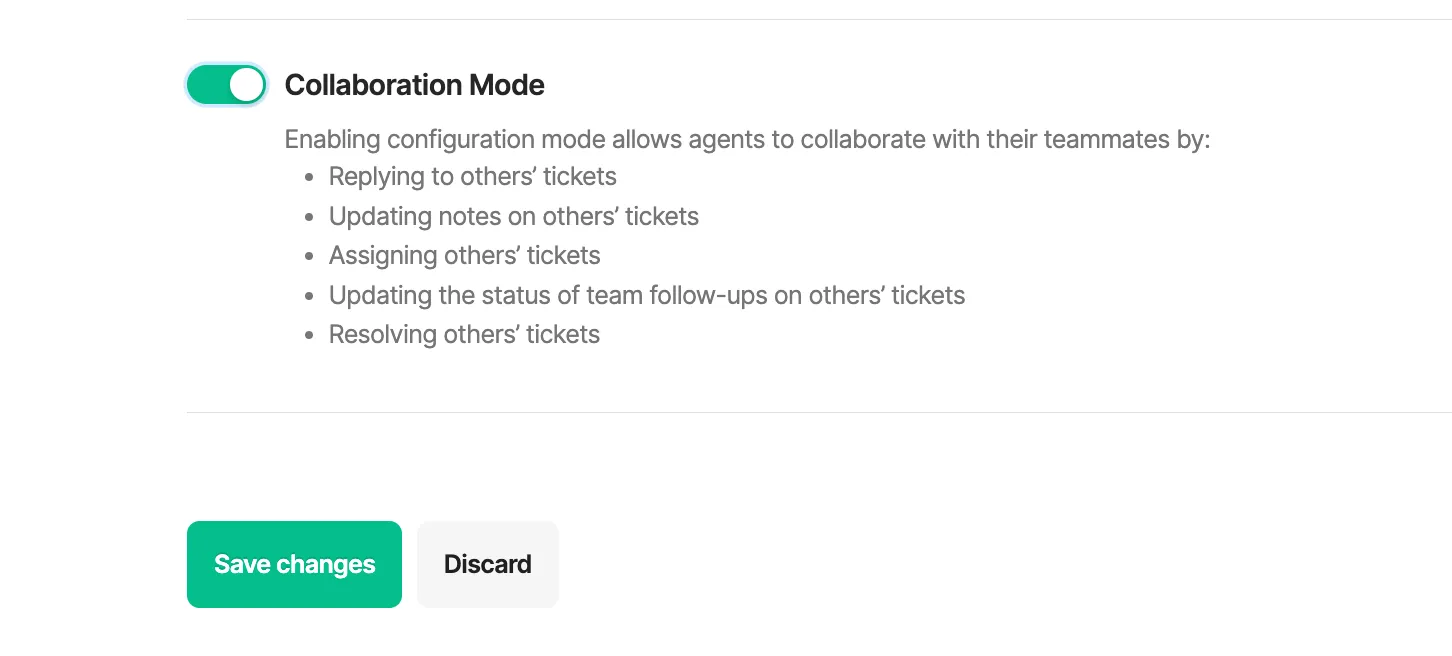
Features of Collaboration Mode
Section titled “Features of Collaboration Mode”Here are the key functionalities available to agents when Collaboration Mode is enabled:
1. Replying to Others’ Tickets
Section titled “1. Replying to Others’ Tickets”Agents can respond to tickets that are not assigned to them. This feature is particularly useful in scenarios where a colleague is unavailable or requires assistance with a customer’s inquiry.
2. Updating Notes on Others’ Tickets
Section titled “2. Updating Notes on Others’ Tickets”Agents can add or modify notes on their teammates’ tickets. This helps in keeping all relevant information in one place, ensuring that any agent can pick up where another left off.
3. Assigning Others’ Tickets
Section titled “3. Assigning Others’ Tickets”Agents have the ability to reassign tickets to different team members. This is beneficial for redistributing workload and ensuring that tickets are handled by the most appropriate agents.
4. Updating the Status of Team Follow-Ups on Others’ Tickets
Section titled “4. Updating the Status of Team Follow-Ups on Others’ Tickets”Agents can change the status of follow-ups on tickets that belong to their colleagues. This feature is vital for tracking progress and ensuring that follow-up actions are completed timely.
5. Resolving Others’ Tickets ✨ (new)
Section titled “5. Resolving Others’ Tickets ✨ (new)”Agents can mark tickets as resolved even if they are not the original assignee. This ensures that tickets can be closed promptly, enhancing overall efficiency.
Was this page helpful?
Thank you for your feedback!